Your production plan, always current.
The Planner runs continuous demand planning inside Fishbowl Advanced. Every time your data changes, it re-runs and keeps two answers current: what you need to order and by when, and the earliest date each order can build. You steer it from the View or from chat. Nothing is committed to Fishbowl without your confirmation.
It is always planning. You direct it.
- 1
Your data changes
A sales order is booked, a PO arrives, a BOM is revised, inventory moves. The Planner watches the Fishbowl data the plan depends on. You do not ask it to start. It is already running.
- 2
The plan re-runs
The Planner works your whole booked backlog in priority order. It recomputes the earliest date each order can build and the parts that have to be ordered, and by when, to hit the schedule.
- 3
Alerts and the buying plan update
Orders scheduled before they can build, parts that must be ordered this week, and the vendors to order from all refresh. The Hot Parts and Buying Plan tabs show the current picture, not last week's.
- 4
You review in the View or chat
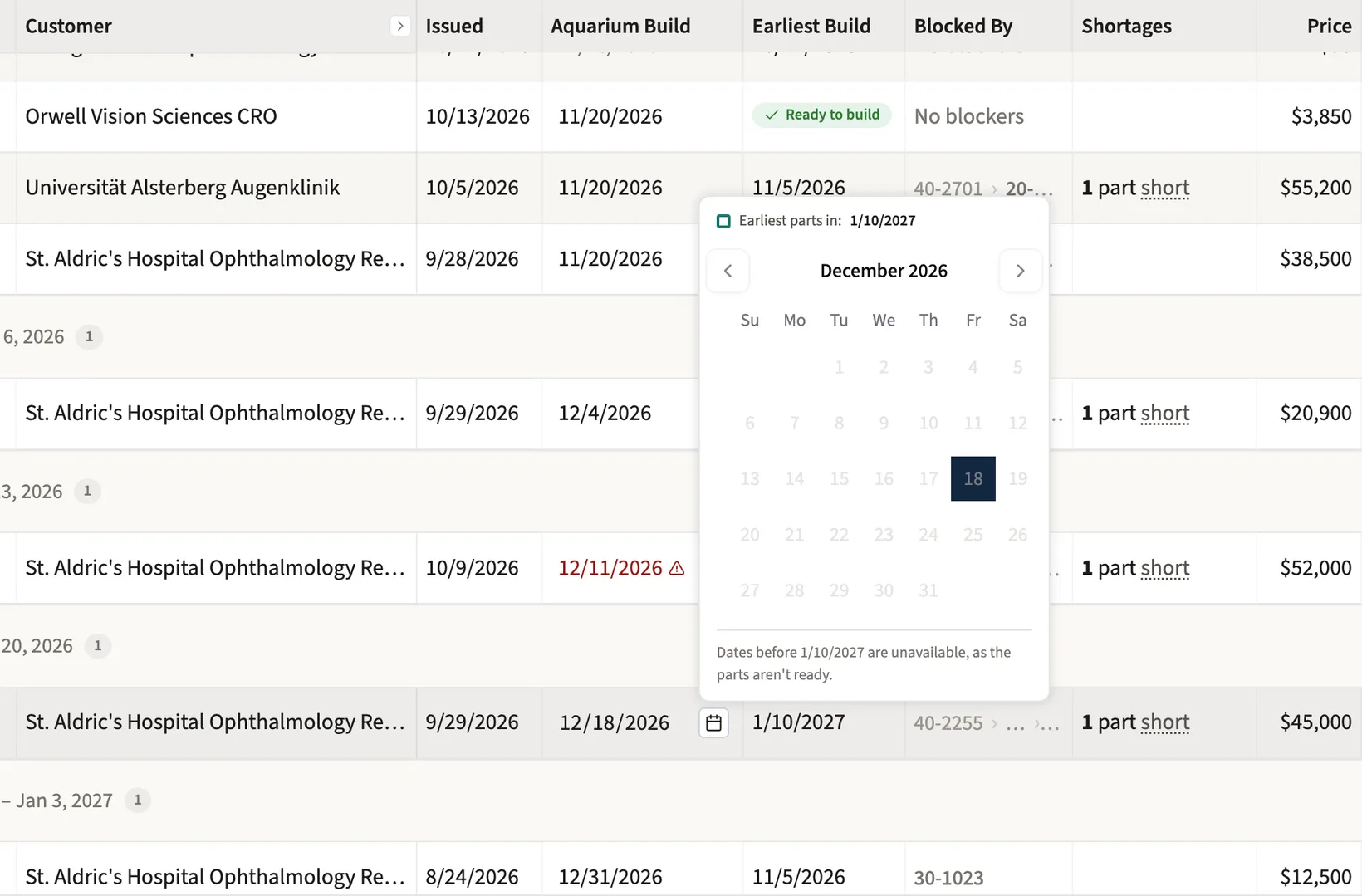
Open the four-tab View to see the schedule, alerts, hot parts, and the buying plan. Or ask in plain language: what's at risk, what's blocking an order, what to order. Edit priorities and dates either way.
- 5
You confirm, it commits and re-plans
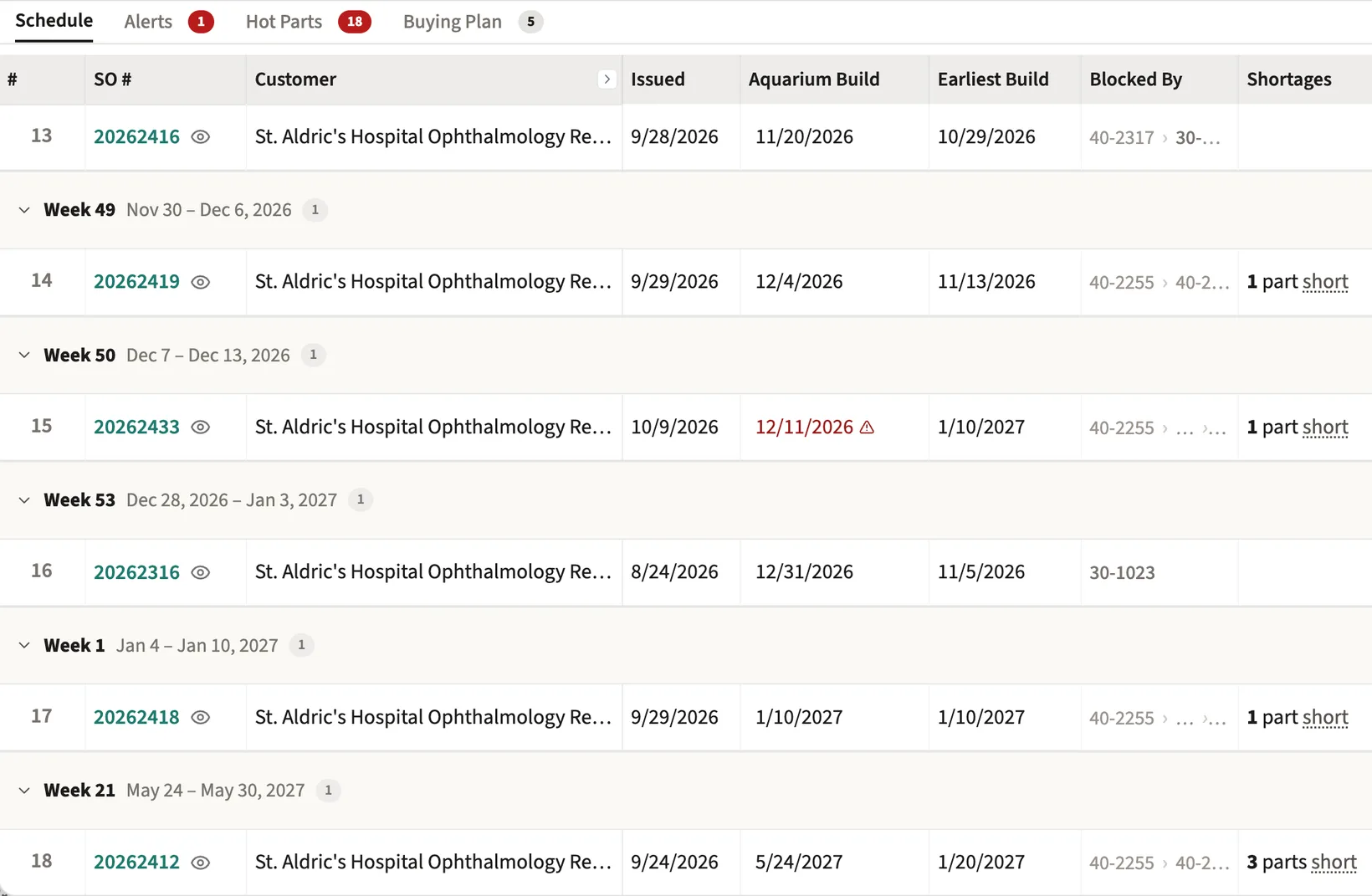
An edit stages a change. When you confirm, the Planner writes it to Fishbowl and re-plans around it. Ordering itself goes to the Buyer Assistant. Nothing changes in Fishbowl until you say so.
And it starts again
Your Fishbowl data never stops changing, so neither does the loop. The Planner is always planning, whether you are watching or not.
One View. Four tabs. The whole plan.
The Planner puts everything in a single View, organized into four tabs. Each tab opens the same continuous plan from a different angle, so you never leave the View to see the whole picture. Edit in the View or in chat. Either way, you confirm before anything commits to Fishbowl.
Schedule
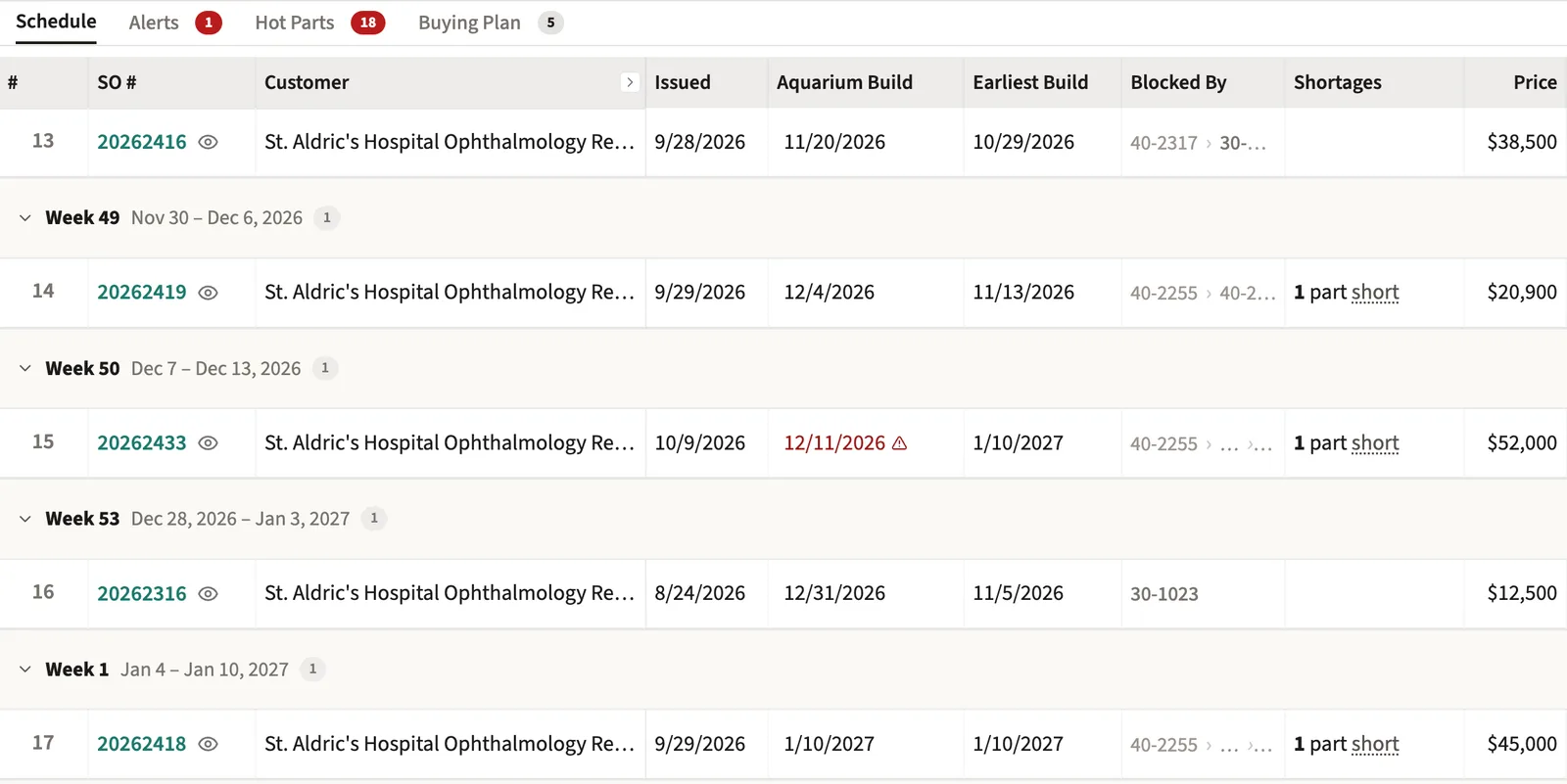
Your backlog of issued sales orders, each placed on a build week in priority order. Set a priority from 1 to 5 and a desired build date, or drag the scheduled date. A date earlier than the earliest possible build is flagged, and the Shortages column shows what is holding each order back. Saving commits to Fishbowl and re-runs the plan.
Alerts
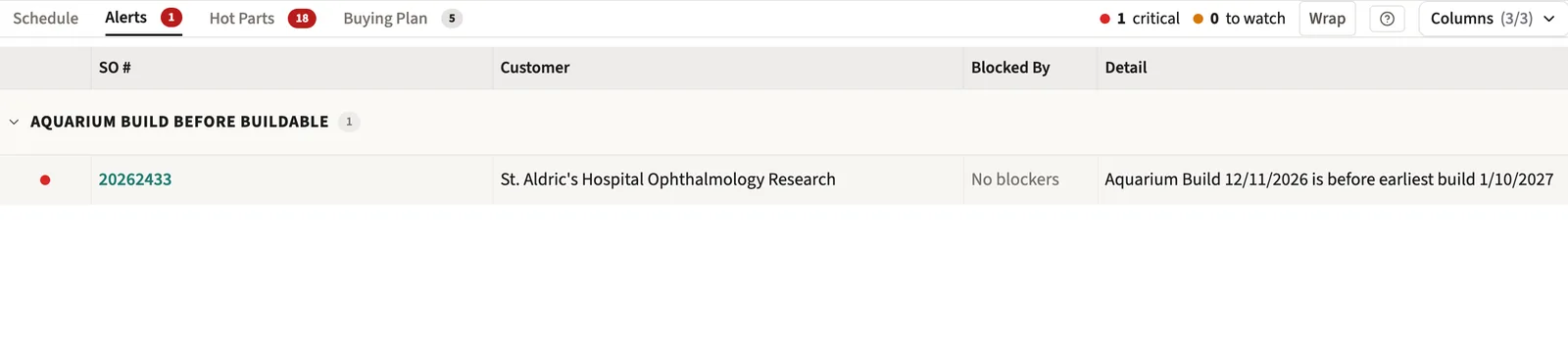
Everything needing attention, grouped by issue type: scheduled in the past, scheduled before buildable, and parts to order. Parts-to-order traces the path from the top-level BOM down to the leaf part that has to land in time.
Hot Parts
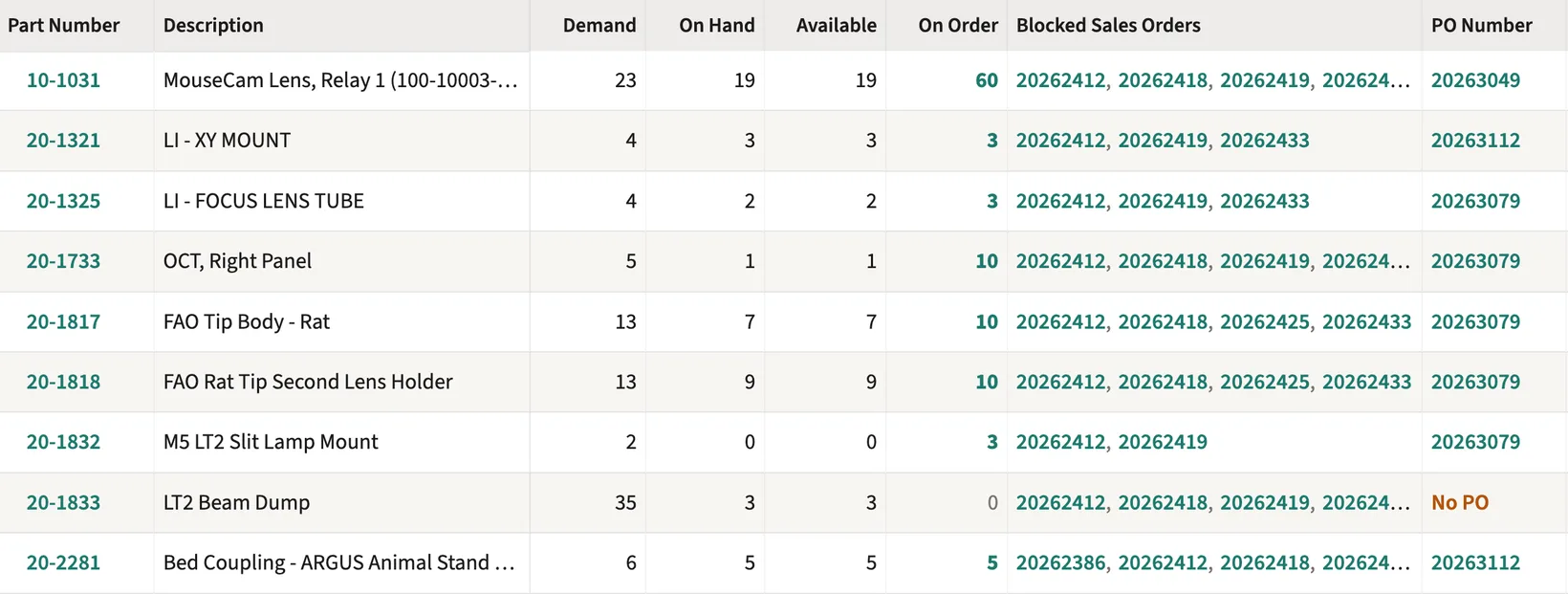
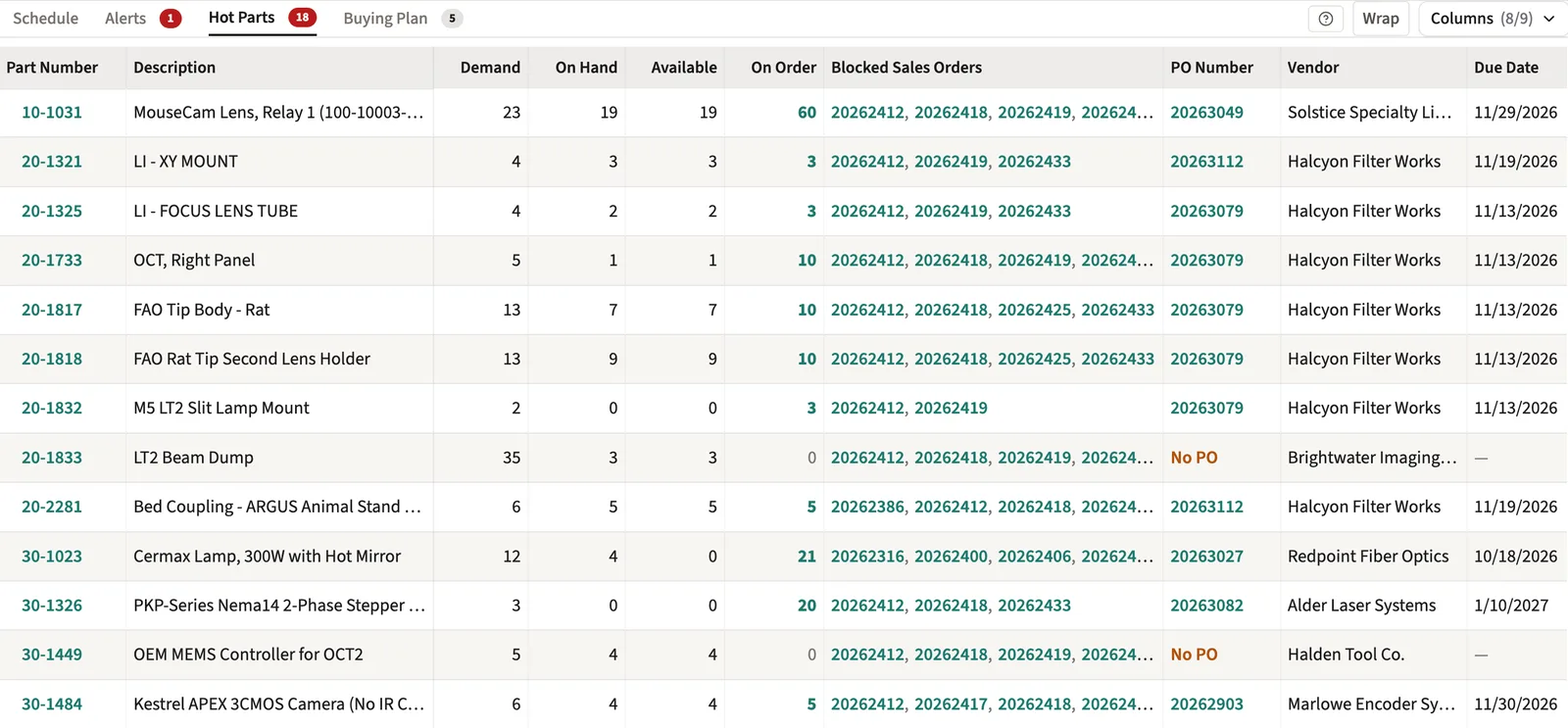
The parts driving the queue. Each row shows demand, on hand, on order, vendor, and the blocked sales orders. A part with an in-flight PO shows the PO and due date. A part with nothing on order shows an Order action into the Buying Plan.
Buying Plan
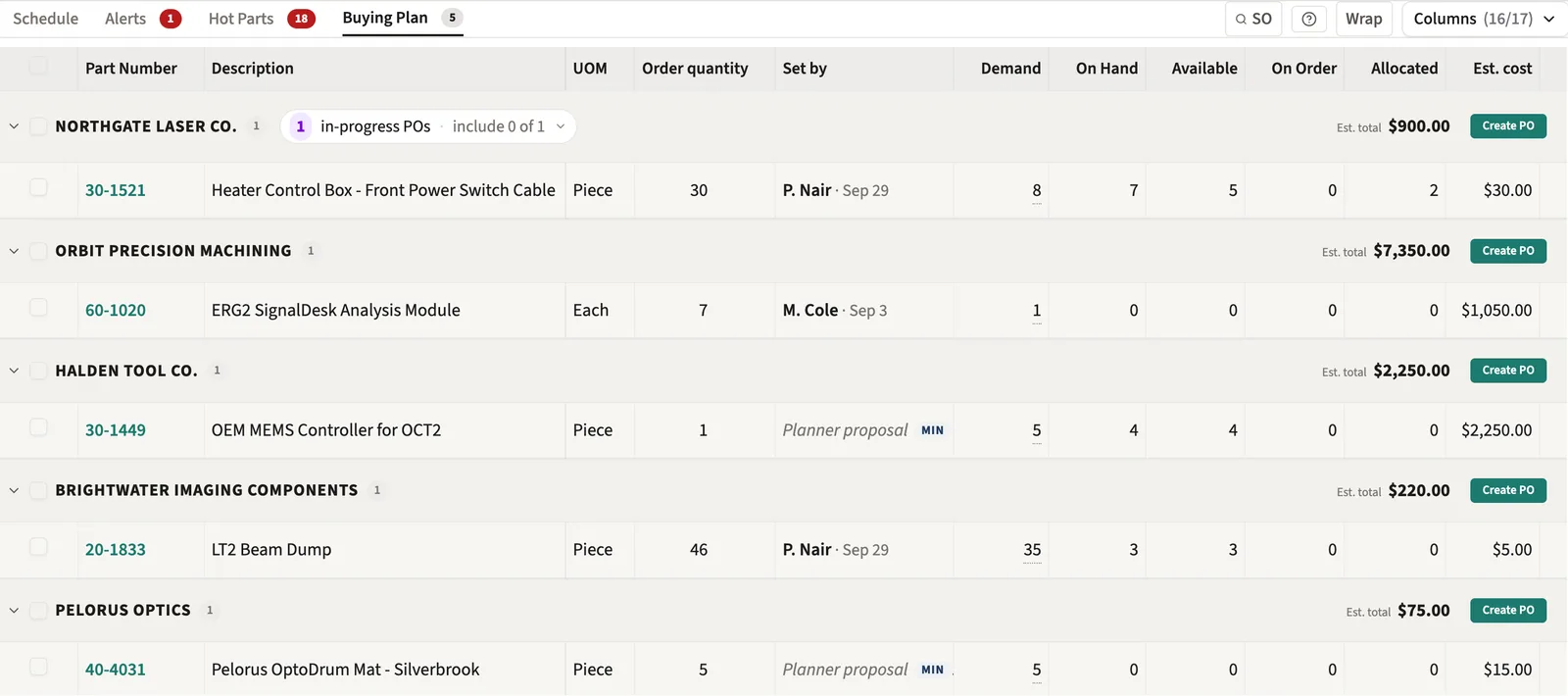
Grouped by vendor, with each order sized to what your backlog needs while staying within vendor minimums and your reorder-up-to targets. Drafts one PO per vendor when you ask.
The demand planning engine behind the plan.
The Planner runs a deterministic plan over your Fishbowl Advanced data: defined inputs, a defined engine, defined outputs. No guessing.
Inputs
Demand plan
Sales order priority and desired build dates.
Sales orders as BOMs
Each issued order a top-level bill of materials, worked in priority order.
On-hand inventory
Current stock, reserved per part and assembly.
Open POs
Incoming quantities, credited by due date.
The engine
The Planner engine
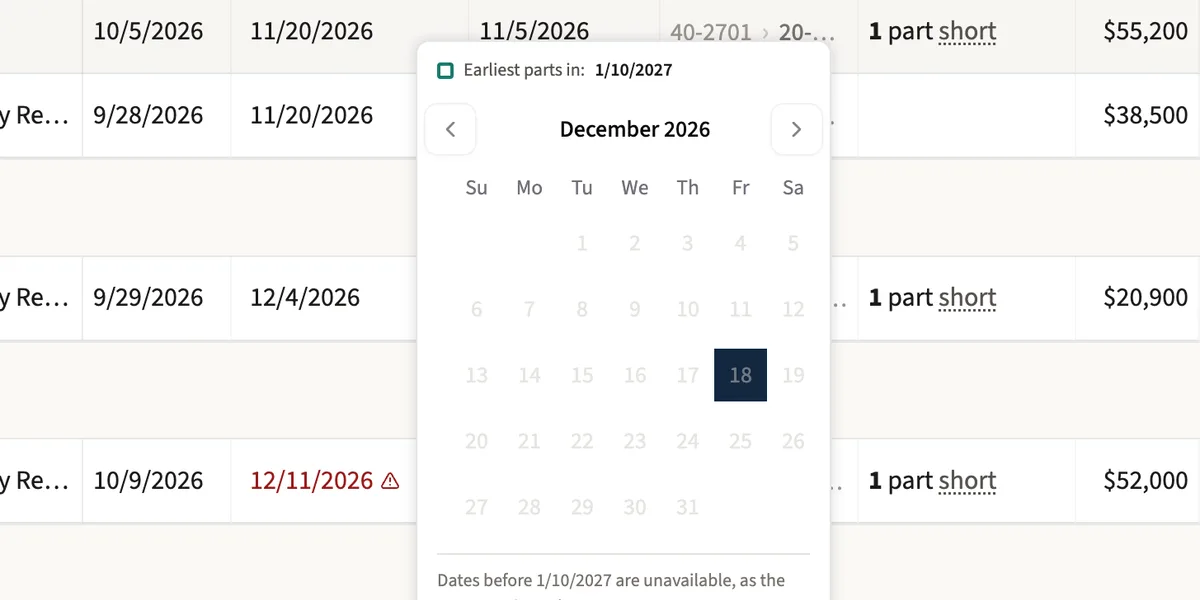
Reserves every part against supply in schedule order, and allocation follows your work orders. Lead times come from your purchase history, with per-part overrides. When a part runs short, it predicts when a replenishment arrives and schedules the build around that date. Each order gets an Aquarium Build Date, never earlier than its Earliest Build Date, and every schedule change recomputes the plan. Drag an order and the plan follows.
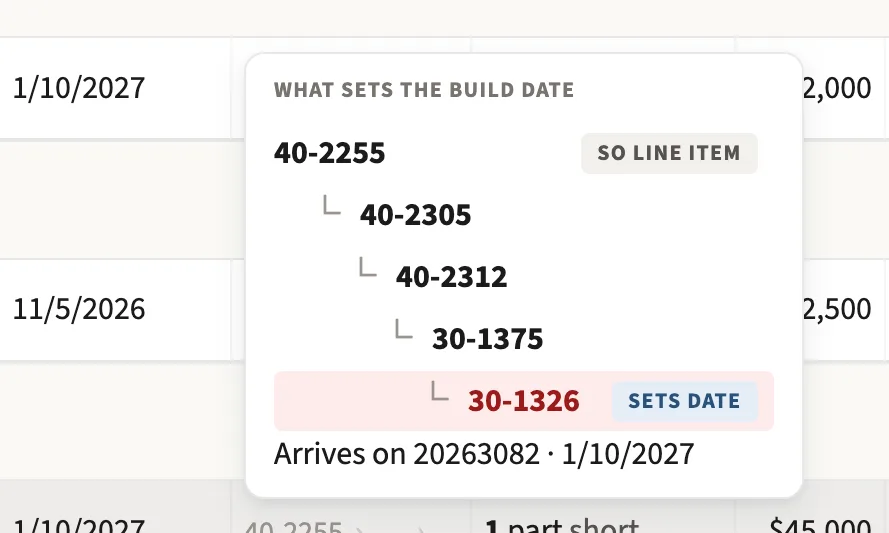
Same data produces the same plan. Every number traces back to a specific order, part, and date.
Outputs
Earliest build date
The soonest each order can build, given supply. Its Aquarium Build Date never lands earlier.
Buying plan
The parts to order, and by when, to hit the schedule.
Alerts
Orders at risk, each flagged with the reason.
Steer every part of the plan.
The Planner explains what is blocked, the blocking parts, the hot parts, and the buying plan, and it edits the plan when you ask. Here is what that looks like in practice.
Rank the backlog
Set priorities and desired build dates on the backlog, and the Planner re-plans around your calls.
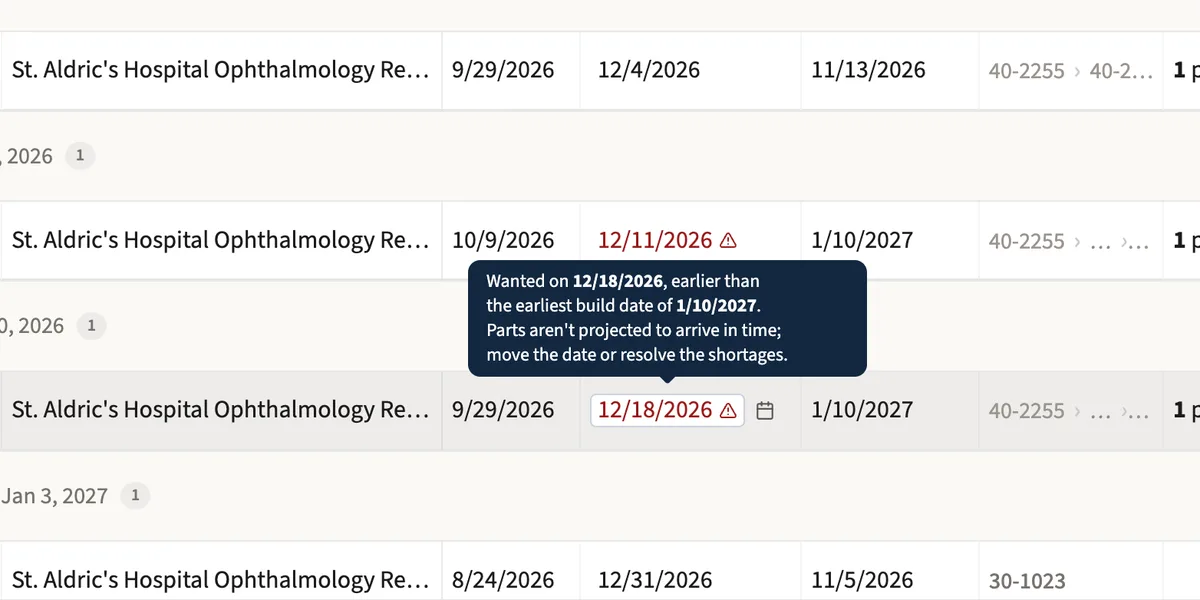
Catch impossible dates
The Planner flags any order scheduled before it can actually build, before the week is lost.
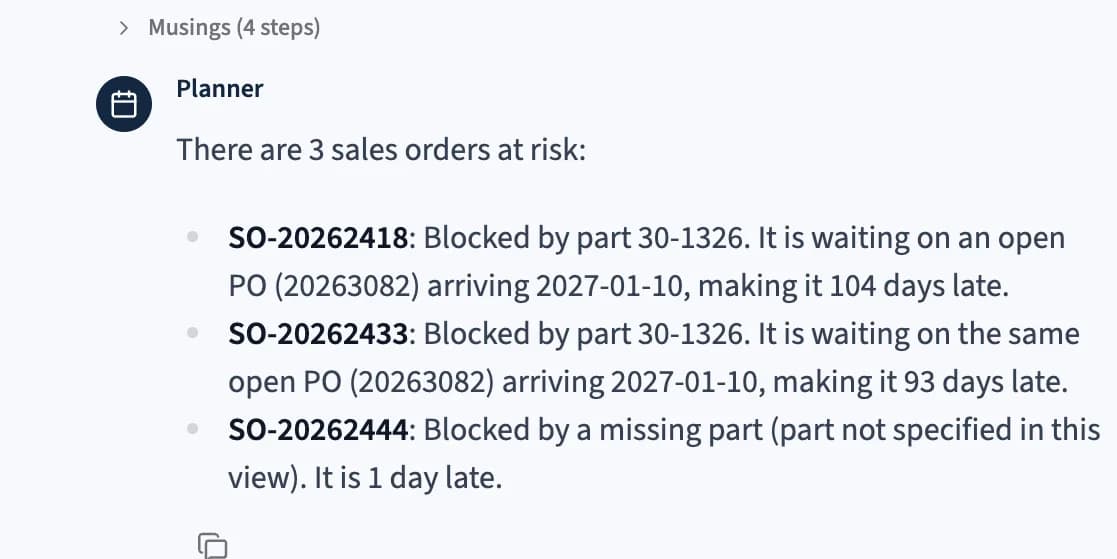
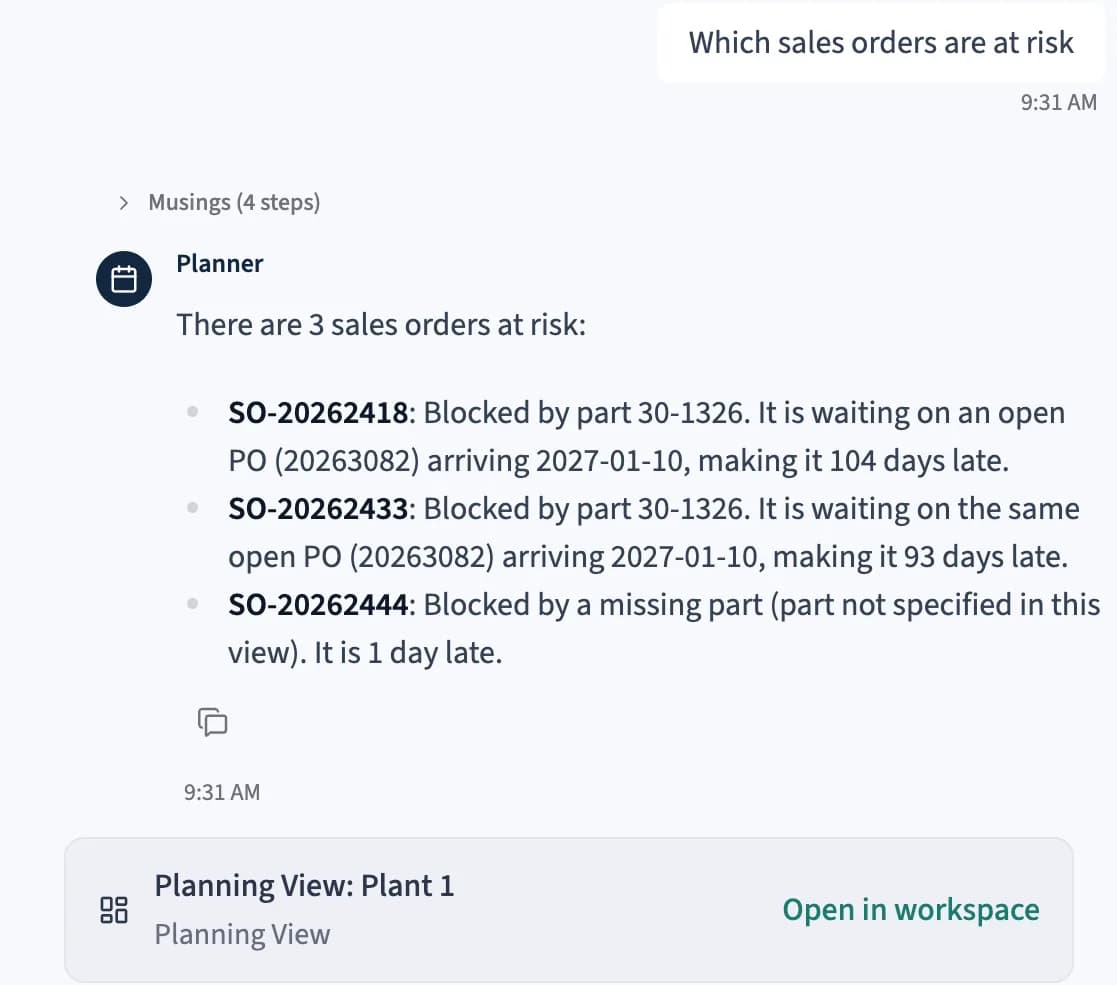
See everything at risk
Everything that needs attention lands in one place, each item with the reason attached.
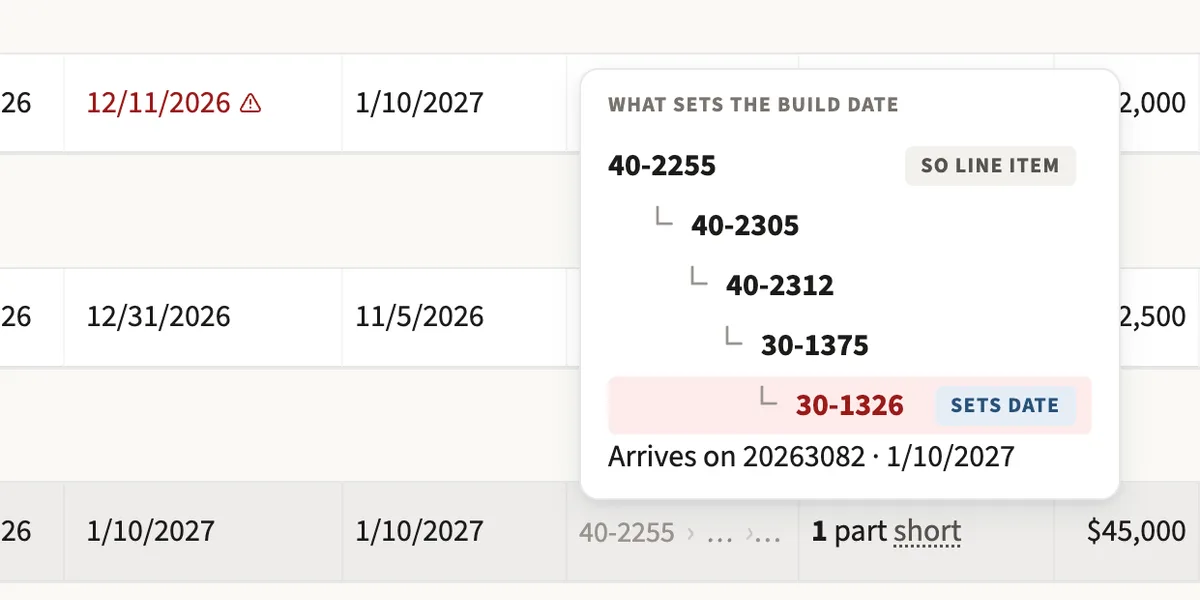
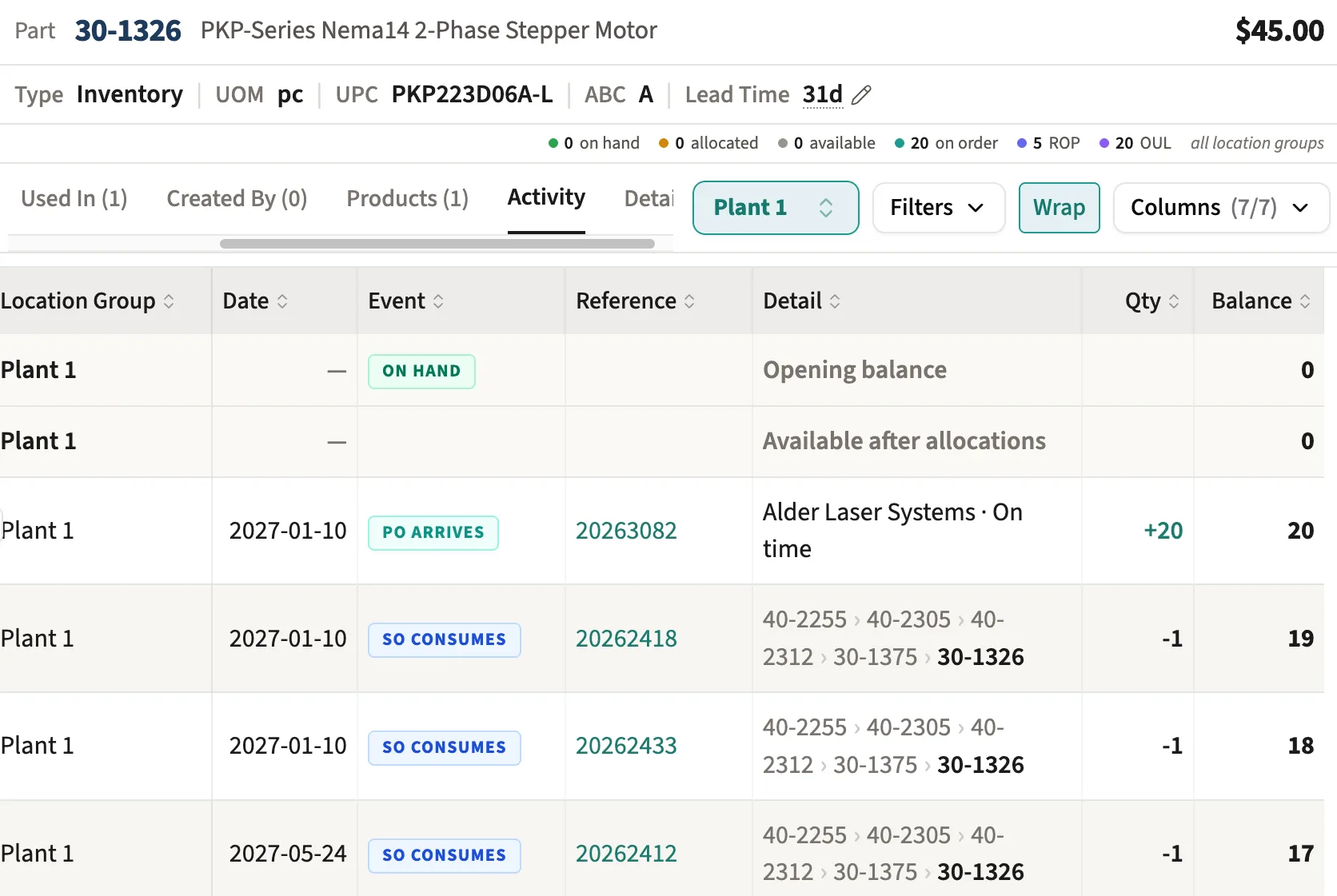
Find what's blocking
Every hot part shows the orders it is holding up and what is already on the way.
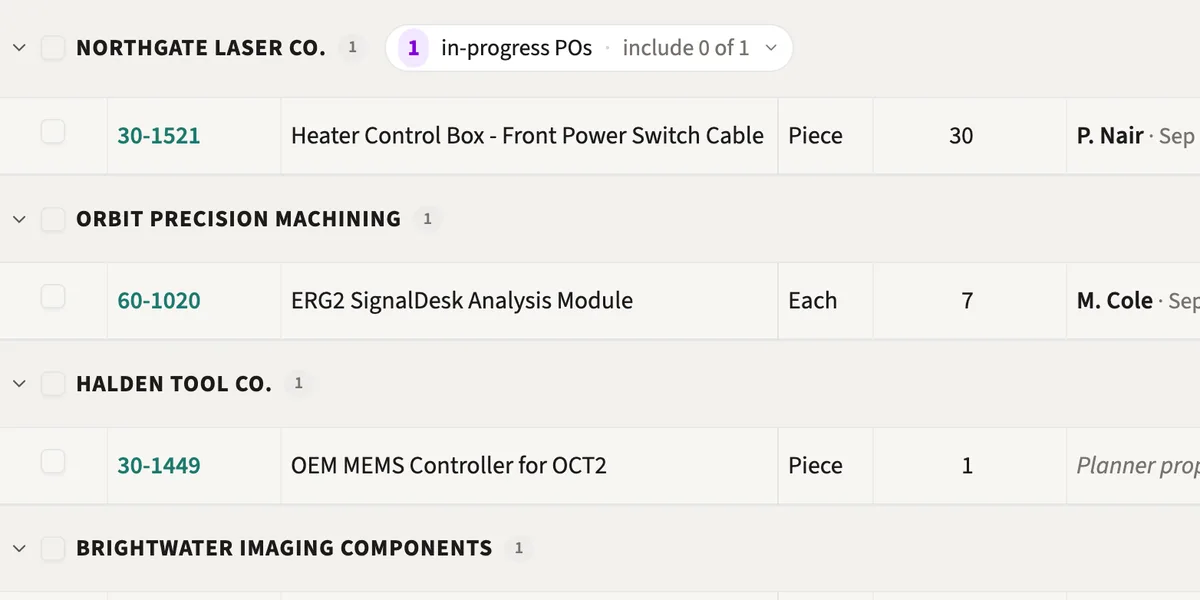
Turn shortages into orders
The Planner drafts a buying plan by vendor and hands the ordering to the Buyer Assistant.
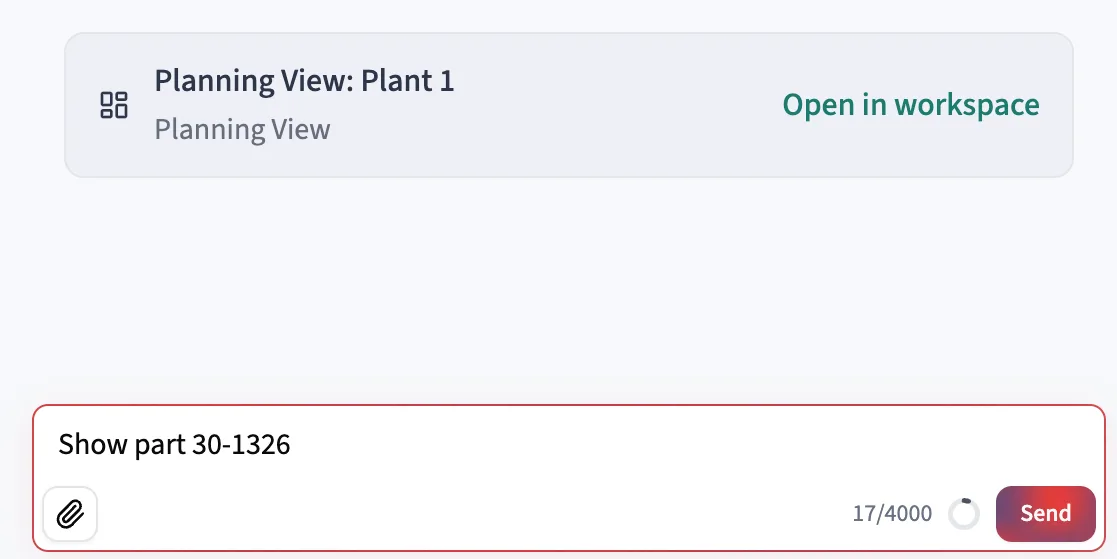
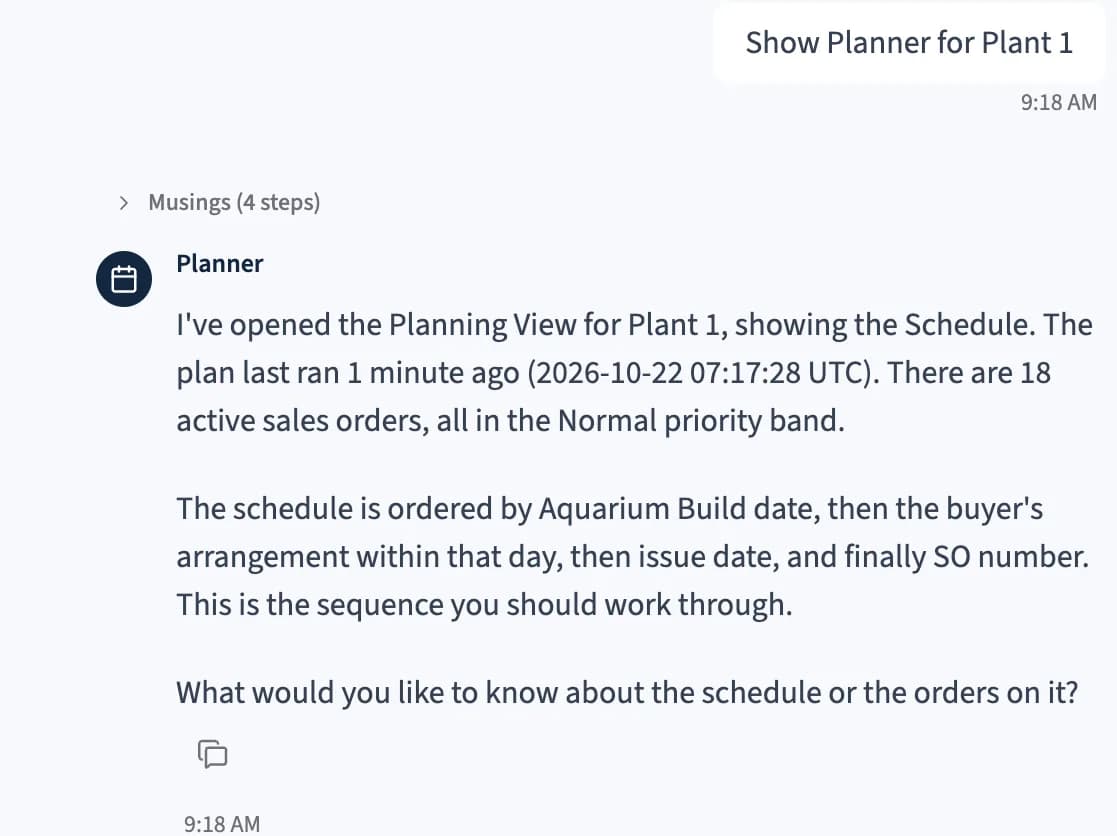
Steer from chat
Edits you make in chat re-plan and commit to Fishbowl on your confirmation, the same as edits in the View.
The Planner stays in its lane.
Tells you what to buy and by when, then hands the order to the Buyer Assistant to issue.
Create or issue purchase orders. Ordering is the Buyer Assistant's job.
Explains a build block when the plan is the reason, pointing to the order, part, and date behind it.
Produce general purchasing reports like late-PO lists.
Stages every edit to priorities, dates, or the buying plan for your review.
Change anything in Fishbowl until someone whose user group allows it commits.
Hands production and work orders to the next assistant in the lineup.
Create manufacturing orders or work orders itself. That is the Manufacturing Manager, arriving Q4 2026.
Traces every order, date, and shortage back to your Fishbowl data.
Guess.
Buyer and Planner are live. The lineup keeps growing.
How the Planner fits with the Buyer.
The Planner decides what needs buying and when. The Buyer turns that into purchase orders. The Planner drafts a buying plan by vendor and hands it off; the Buyer creates and issues the POs inside Fishbowl Advanced. Together they cover the loop from backlog to ordered material, with you confirming every change.
The Planner Assistant is live now. Manufacturing Manager arrives Q4 2026. Business Analyst and Assembler arrive Q1 2027. Each new assistant is added to its bundle as it ships.
See the Planner keep your plan current.
The Planner Assistant is live in the Planning bundle. Reserve a spot before paid subscriptions open on November 30, or start free on the Query bundle. No IT project required.